Workflow Change Requests
Documentation of the workflow for „Change Request Submission“ and status-concept for Change Requests (CRs), change process (CPs) and work packages (WPs)
This workflow outlines the process of submitting and reviewing Change Requests until they are accepted or rejected for release. The process involves several roles for the parties involved and correction loops.
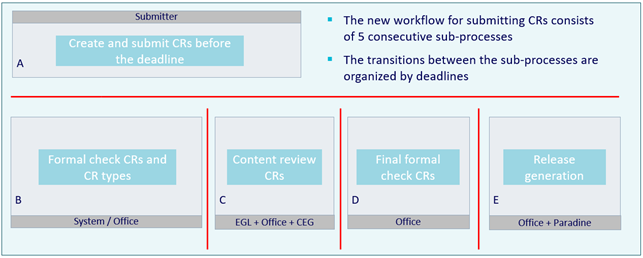
The workflow consists of the following phases:
During these phases, the CRs are checked against various rule sets:
I. Complete check (CDP)
II. Testing checklist (Office)
III. Content review (EGL / Office / CEG)
IV. Business-Rules and consistency-checks
A - Create and submit CRs before the deadline
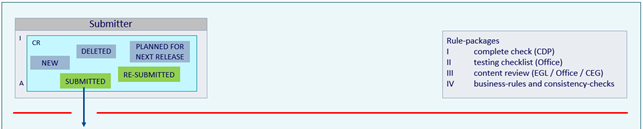
Please note: Only CRs that have the status SUBMITTED by the deadline (red line in the figure) will be considered for the next step. CRs with the status NEW will not be considered.
As soon as a CR is saved with the status SUBMITTED, all relevant text fields are translated into the official ECLASS languages.
B - Formal check CRs and CR types
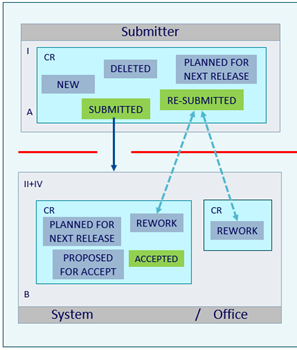
All CRs with the status SUBMITTED that are available by the deadline are checked against rule packages II and IV. Incorrect CRs are returned by the system or Head Office to the submitter with the status REWORK and an explanation.
The submitter can:
- correct the CR and resubmit it with the status RE-SUBMITTED
- set the CR to status DELETED
- set the CR to status PLANNED FOR NEXT RELEASE
All CRs that successfully pass the check are given the status PROPOSED FOR ACCEPT. This is followed by a check for CRs permitted in the respective release phase (alpha, beta, or prod). All permitted CRs are given the status ACCEPTED, while all non-permitted CRs are given the status PLANNED FOR NEXT RELEASE. The submitter is informed depending on the user settings in the CDP.
All CRs that have the status ACCEPTED by the deadline are considered for the next step: The system assigns each CR to an owner pool and forms the corresponding CPs (change process) and WPs (work packages) from the available CRs:
- All CRs that refer to the same structural element are combined in one CP.
- All CPs that have the same owner pool are combined into one WP.
C - Content review CRs
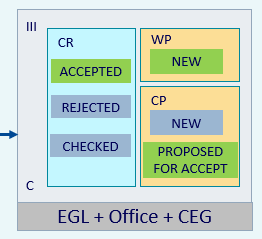
The WPs are automatically created by the system with the status NEW and sent to the owner pools. The WPs do not change their status during this phase. During this phase, the experts use their specialist knowledge to check the CRs in the CPs that are in their WP.
Each CP is created with the status NEW, and further CRs for the same structural element continue to be sent to the CP until the CP is set to PROPOSED FOR ACCEPT. The experts have the option of setting CRs to REJECTED. The aim is to set CRs that are OK to ACCEPTED and CPs to PROPOSED FOR ACCEPT.
When a CP is set to “checked” (“checked” is not a status for CPs), the system changes the CP to the status PROPOSED FOR ACCEPT. REWORK at the CR level is no longer possible here.
All CPs that have the status “PROPOSED FOR ACCEPT” when the deadline for expert review is reached will proceed to the next phase of the workflow.
D - Final formal check CRs
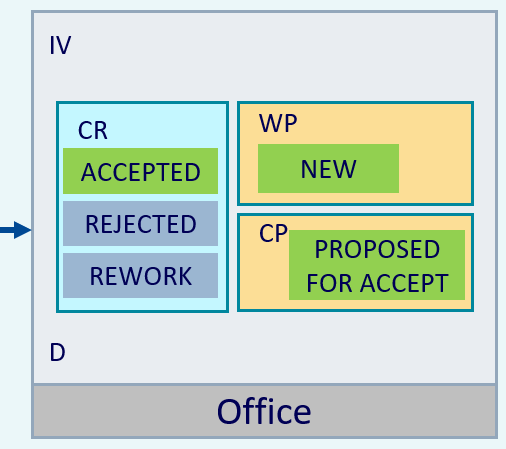
At the start of the final formal review by Head Office, WPs have the status NEW and CPs to be considered have the status PROPOSED FOR ACCEPT. CRs to be considered are included in the CPs and have the status ACCEPTED.
The Head Office uses the system to check all business rules and consistency checks.
All CPs that have the status “PROPOSED FOR ACCEPT” when the deadline for the final review by BR+CC is reached will proceed to the next phase of the workflow.
E - Release Generation
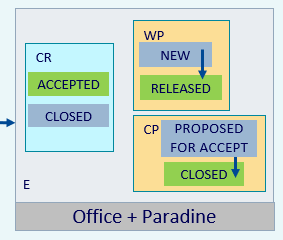
The Head Office coordinates the generation of the ECLASS release with the IT service provider. All CRs with the status ACCEPTED are set to CLOSED. All WPs are given the status RELEASED and all CPs the status CLOSED.
The workflow is complete, and the products are released.
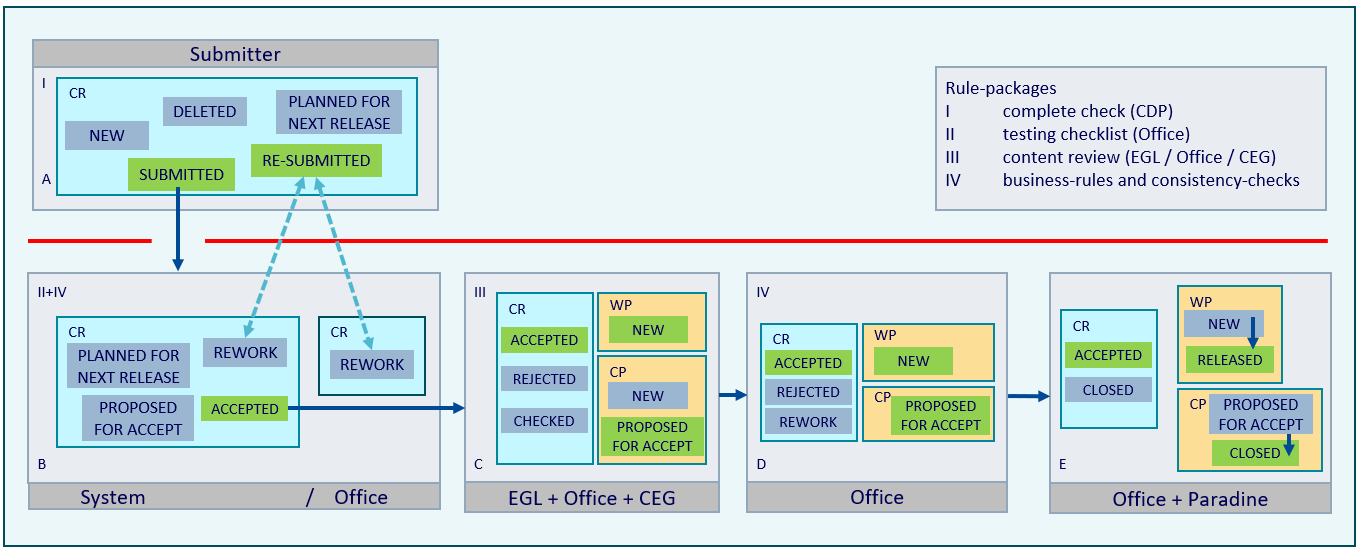
Complete overview of the workflow, including all statuses for CRs, CPs, and WPs: